Sunday, 15 February 2015

ANDROID SECRET CODES

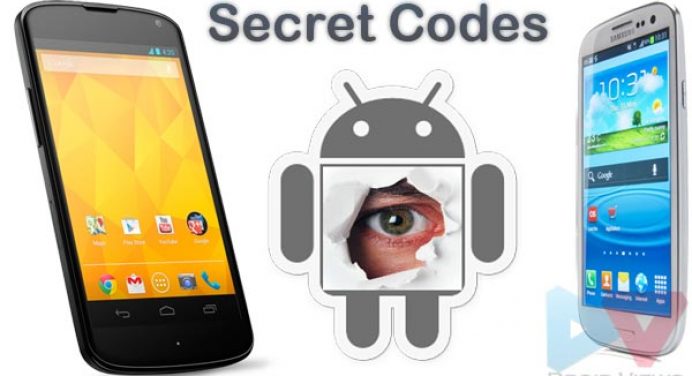
What follows is a collection of some of the secret codes common to the Android platform. All of these would be entered through the phone & nbsp;dialer & nbsp;(just punch in the sequence as shown). Since most hidden menus are & nbsp; manufacturer specific, there’s no guarantee that they’ll work across all Android smartphones, but you can try them out nevertheless on your Samsung, HTC, Motorola, Sony and other devices. Be advised, though, that some of these can cause serious changes to your device’s configuration, so don’t play with something that you don’t fully understand.


*#06# – IMEI number
*#0*# – Enter the service menu on newer phones like Galaxy S III
*#*#4636#*#* – Phone information, usage statistics and battery
*#*#34971539#*#* – Detailed camera information
*#*#273282*255*663282*#*#* – Immediate backup of all media files
*#*#197328640#*#* – Enable test mode for service
*#*#232339#*#* – Wireless LAN tests
*#*#0842#*#* – Backlight/vibration test
*#*#2664#*#* – Test the touchscreen
*#*#1111#*#* – FTA software version (1234 in the same code will give PDA and firmware version)
*#12580*369# – Software and hardware info
*#9090# – Diagnostic configuration
*#872564# – USB logging control
*#9900# – System dump mode
*#301279# – HSDPA/HSUPA Control Menu
*#7465625# – View phone lock status
*#*#7780#*#* – Reset the /data partition to factory state
*2767*3855# – Format device to factory state (will delete everything on phone)


##7764726 – Hidden service menu for Motorola Droid
You can find more of these spread across the internet, and they’re usually very handy to have, even if just to show off your geekiness to your social circle.


Update x1: More codes!
*#*#7594#*#* – Enable direct powering down of device once this code is entered
*#*#273283*255*663282*#*#* – Make a quick backup of all the media files on your Android device
*#*#232338#*#* – Shows Wi-Fi MAC address
*#*#1472365#*#* – Perform a quick GPS test
*#*#1575#*#* – For a more advanced GPS test
*#*#0283#*#* – Perform a packet loopback test
*#*#0*#*#* – Run an LCD display test
*#*#0289#*#* – Run Audio test
*#*#2663#*#* – Show device’s touch-screen version
*#*#0588#*#* – Perform a proximity sensor test
*#*#3264#*#* – Show RAM version
*#*#232331#*#* – Run Bluetooth test
*#*#232337#*# – Show device’s Bluetooth address
*#*#7262626#*#* – Perform a field test
*#*#8255#*#* – Monitor Google Talk service
*#*#4986*2650468#*#* – Show Phone, Hardware, PDA, RF Call Date firmware info
*#*#1234#*#* – Show PDA and Phone firmware info
*#*#2222#*#* – Show FTA Hardware version
*#*#44336#*#* – Show Build time and change list number
*#*#8351#*#* – Enable voice dialing log mode, dial *#*#8350#*#* to disable it
##778 (+call) – Show EPST menu

These codes are specific to HTC devices only:
*#*#3424#*#* – Run HTC function test program
*#*#4636#*#* – Show HTC info menu
##8626337# – Run VOCODER
##33284# – Perform field test
*#*#8255#*#* – Launch Google Talk service monitor
##3424# – Run diagnostic mode
##3282# – Show EPST menu
##786# – Reverse Logistics Support


Friday, 13 February 2015

DOWNLOAD SUBWAY SURFER MOD

Subway Surfer Hawaii v1.35.0 MOD APK [Unlimited Coins & Keys]


Subway Surfer Hawaii v1.35.0 MOD APK [Unlimited Coins & Keys]


Check out here the latest updated games from kilos for your Smartphone i.e., Subway Surfer Hawaii v1.35.Features:


Grind trains with your cool crew

Colorful and vivid HD graphics

Hoverboard Surfing

Paint powered jetpack

Lightning fast swipe acrobatics

Challenge and help your friends
How to install Subway Surfer Hawaii v1.35.0 MOD APK:

Download the Subway Surfer Hawaii v1.35.0 Mod Apk from the above link.
Copy it to your device’s SD card.
Open the File Manager and navigate to the copied Subway Surfer Hawaii v1.35.0 Mod Apk.
Install the apk file on your Android device.
Open it from the app drawer.
Enjoy the Game.
Download Subway Surfer Hawaii v1.35.0 MOD APK:

TOP 5 ANDROID APPS FOR STUDENTS

Android phones are most commonly used phones. It has many features and wide range of uses.Their are plenty of apps present in android appp market . you can just go to Googleplay and download them and use them. Here are some of android apps for students
1. WIKIPEDIA:
 Wikipedia is the free encyclopedia containing more than 20 million articles in 280 languages, and is the most comprehensive reference work humans have ever compiled. you can get global knowledge by using this app.this app is very helpful. Features: You can  Save article to read later or offline, search for articles nearby, share articles using android "share" function,Read article in a different language, Full screen search. 
2. NEWSHUNT  
NewsHunt is the most commonly used mobile newspaper app by the android users. It provides all the newspapers of several languages .Updated news also available. Using NewsHunt,you can see all the newspapers with single click in your mobile phone. NewsHunt brings news together from 80+ regional newspapers over 12+ languages. 


All of us refer to dictionary if we could not find meaning to a particular word. It is necessary to have a dictionary app for mobile users. Dictionary helps us to find the meaning of any word ,to increase vocabulary and word power etc., 
Features of dictionary android app:
*over 2,000,000 definitions, synonyms & antonyms, * Audio pronunciations *Idioms & phrases
* Word origin & history * Voice search * Favorite words * Search history * Spelling suggestions
* phonetic pronunciations and many more..
Break through language barriers with Google Translate.Using this you can Translate between more than 70 languages.Converse naturally and let Google translate. Speak, type, write, or take a picture to translate.Translate offline while traveling. No internet connection needed.Save your translations and access from any device. 

My Class Schedule keeps your student life organized! This app will not only keep you informed about your upcoming classes, but also reminds you of exams and unfinished homework.The main feature of My Class Schedule is its timetable that shows your schedule for any particular day or week. Additionally there are many other helpful features,for example a grade overview with your average grades or the ability to automatically mute your phone during class. 

Thursday, 12 February 2015

JAILBREAK IPHONE 4 IOS 7.1.2

STEP 1:
The first step for any jailbreak is to backup your iOS device so you can easily restore your device to an un-jailbroken state in case something goes wrong. You can do this either by backing it up to iCloud, which requires a WiFi connection and for the device to be connected to power, or just by backing it up to iTunes over a USB cable.
STEP 2:
After you backup your iOS device, connect it to a Windows computer via a USB cable.
STEP 3:
Launch the Pangu utility and click the grey Jailbreak button.
STEP 4:
Clicking the grey Jailbreak button will prompt a video to come up that will guide you in changing the time and date on your device to 8:30 PM on June 2nd 2014, which is needed for jailbreak exploit to work. For your convenience, the same instructions have been written here in the next step.
STEP 5:
On your iOS device, open the Settings app from the home screen and navigate to General > Date and Time and turn off the Set Automatically option. Set the time to 8:30 PM and set the date to June 2nd, 2014.
STEP 6:
After setting the date and time on the device, you should now see an icon on the home screen called Pangu. Tap on the icon, tap Continue, then Pangu will load the jailbreak onto your device. After a few moments your device will be jailbroken and the Cydia app will be loaded onto the device.


PHOTOMATH CAM-CAL

PhotoMath is a free mobile app that uses your smart phone’s camera to solve math calculations for you. PhotoMath makes math equations as simple as taking a picture. Just point your camera at any math equation, and PhotoMath recognizes it and solves the equation. PhotoMath uses Optical Character Recognition (OCR) technology to read math expressions and solve them within seconds. There is a Red Frame in Photo math app that lets you to capture math equation. 
PhotoMath not only lets users to solve equations but also gives step by step guide showing How each problem is solved. Most of the people think that this app will make students lazy, but the step by step problem solving guide provided by PhotoMath will be helpful for the students who do not have access to a tutor and struggling with solving math problems. It also helps in checking results while doing homework or studying. If you don’t use it for evil then it’ll turn your smart phone into a very useful studying tool. 

MICROSOFT LUMIA 535

Recently, Microsoft has released its first non-Nokia Branded smart phone Microsoft Lumia 535, bringing latest Microsoft experiences to more affordable price levels. Microsoft Lumia 535 comes in colors of orange, black, dark grey, bright green, white and cyan. Lumia 535 will be available in Single SIM and Dual SIM variants. The device has striking resemblance to the Lumia 530, that the company had launched earlier this year. Here are some of the cool features of Microsoft Lumia 535. 
Lumia 535 comes with colorful design,easy readability in sunlight on a large 5-inch display and a 1.2 GHz quad-core processor for smooth smart phone experience. It has 8 GB internal storage and 15 GB of free OneDrive storage. If the storage isn't enough,then you can bulk up to an additional 128 GB via a microSD card. It has 1GB RAM and runs with Windows 8.1 OS. 
Lumia 535 has 5 MP primary camera with LED Flash and 5 MP front-facing camera. Have a bigger Selfie experience Microsoft Lumia 535. Take stunning Selfies and fit more friends into the Photo with the wide-angle, 5 MP front camera. It comes with the popular Lumia Selfie app to enhance your Selfies with filters and easily share with your friends from the app to OneDrive,Twitter, Instagram... - 

Turn a regular phone call into a high quality video call by just tapping the Skype video call button on the phone. With built-in Microsoft Office, you can view and editing documents easily. You will find lots of apps and games from its windows store. To add an extra layer of protection, a cover has been created that perfectly compliments the Lumia 535. It'll support Bluetooth, Wi-Fi.

The device is powered by a Li-ion 1905mAh battery which is expected to keep the functioning of the phone throughout a day. Microsoft has Designed Lumia 535 in 5x5x5 proportion which means 5-inch display, 5 MP rear camera and 5 MP front camera. Price of Lumia 535 will vary by market and operator, but is estimated to be around 110 Euro ($135)  before taxes and subsidies.


DELHIPEDIA

GET INFORMATION ABOUT DELHI WITH DELHIPEDIA

Twenty Four Frames films, has launched a new mobile phone application DELHIPEDIA that lets you to search and find unexplored beauties of Delhi. The app covers the aspects of Delhi including its heritage monuments, crowd-happy bazaars, market places, cultural scene and food cuisines. 
DELHIPEDIA is a YouTube channel and a digital magazine which tells us about the city and its magnificent culture. In other words DELHIPEDIA is an audio visual running encyclopedia about the city and its hidden unexplored things many of us are still unaware of.

Arjun Pandey, the man behind this app, said, “In a way our objective was to provide a ‘One-Stop – Delhi Shop information source about the city, we thought of creating an application that could take one through the City, places that are unexplored. To make it more connected with the people, we have made it visually appealing through our videos. We are excited about the app and hope the same goes with the people as well. The city enthusiasts can follow and join the journey of this majestic city through social channels.”

With DELHIPEDIA you’ll find information about the city at anytime and from anywhere by just surfing your mobile. It would be a one stop solution for anyone who wants to visit the City or trying to research or is just curious to know more about the city. At DELHIPEDIA we can visualize the best of Delhi with one video at a time. DELHIPEDIA will list the best of Delhi with videos and a visual library for people who are searching for new things in the city to visit and explore.
The app is currently available only for Android users and will soon be rolled out for IOS users.